Never lose a lead again.
Snap the business cards you collected, add thirty seconds of voice, and Enki files the contacts, notes, and follow-ups in your CRM and your phone. Then it drafts the email, finds them on LinkedIn, and books the meeting. Nothing saves until you approve it.
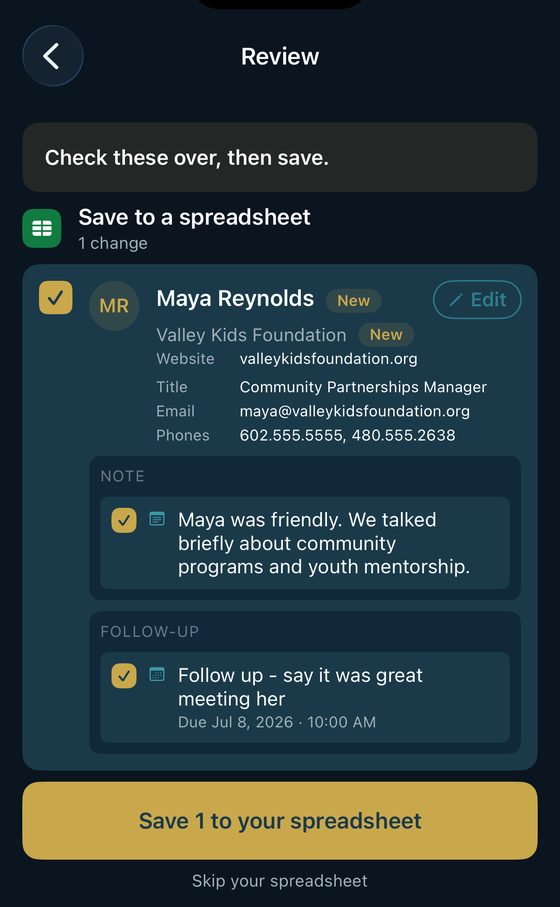
One card per person. Fix anything, skip anything, then approve.
What changes
Same eleven cards. Two different nights.
You spend an evening at a conference, a chamber mixer, an expo booth, and you come home with a pocket full of cards. One or two of them actually matter: the person who wants the pilot, the one who knows the buyer. What you do in the next hour decides whether that turns into anything.
Without Enki
- The cards go in your jacket pocket.
- You tell yourself you will enter them tonight, or at least reach out.
- It is 11 PM and you are typing phone numbers.
- The one who actually mattered is left to memory.
- By the time you remember, the moment has gone cold.
With Enki
- You snap the cards at the venue.
- Thirty seconds of voice catches what you promised each person.
- You approve it before you leave the room.
- Everyone is in your CRM and your phone, with the promise attached.
- The email is drafted and the reminder is waiting when you get home.
On iPhone your voice is transcribed on-device. On Android, cloud transcription sends the recording to our provider to make a transcript, and Enki keeps no copy afterward. How your data is handled →
Works with
More destinations are on the way.
How it works
Four steps.
Thirty seconds.
The first three happen at the venue. The fourth happens on the way home.
Snap the cards.
Photograph the business cards. On-device OCR reads them and the photos never leave your phone. Lay several cards out with space between them and one photo handles the stack. Someone hand you a digital card instead? Scan their QR.
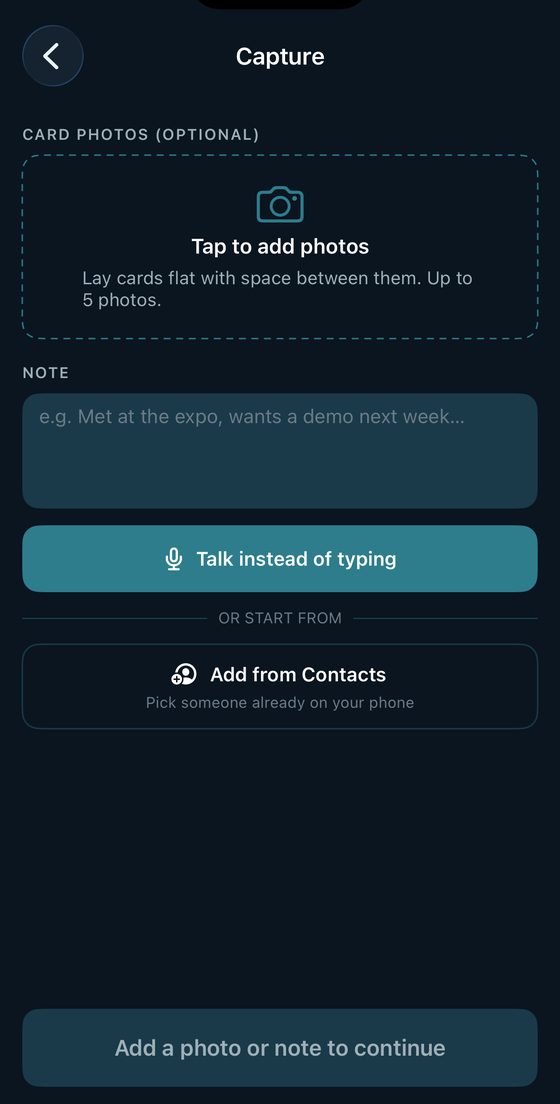
Say the part the card can't hold.
"She runs ops, wants the pilot pricing, follow up Tuesday." Enki hears the commitment and sets the reminder, and those same words feed the email draft and the calendar invite later. Tag the event once and it sticks for the rest of the day, so every contact carries where you met. You can also skip this and just save the card.
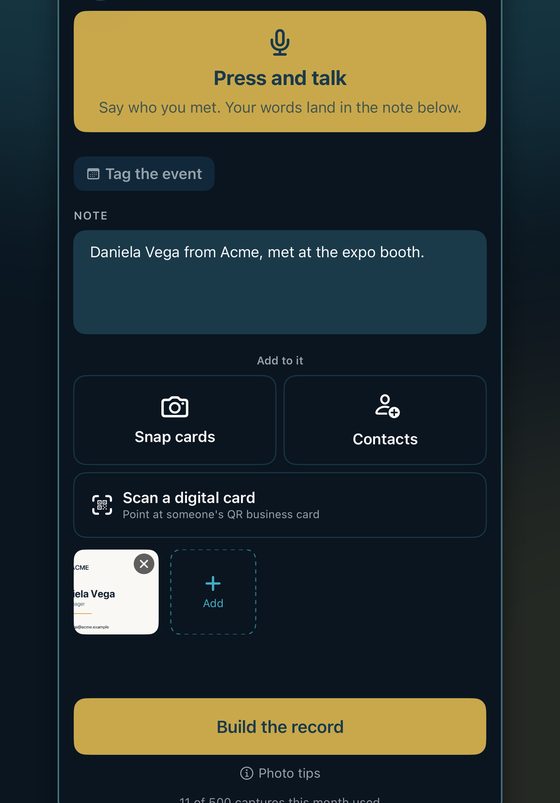
Review. Approve. Done.
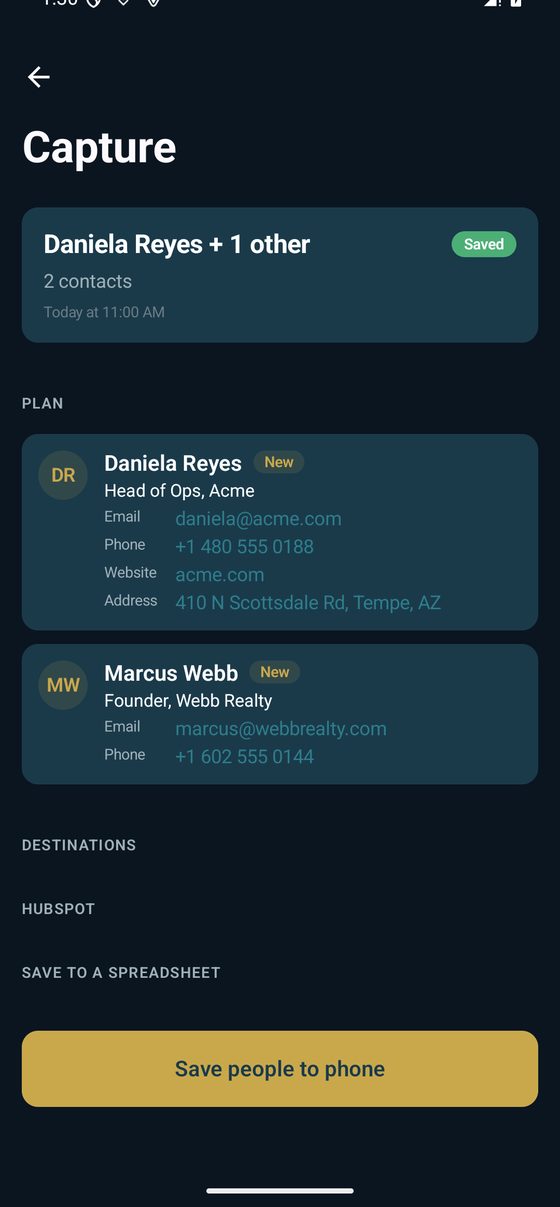
One card per person: contact, company, note, reminder. Fix anything, skip anything. On approve it lands in your CRM, your spreadsheet, and your phone contacts, and the reminder is set.
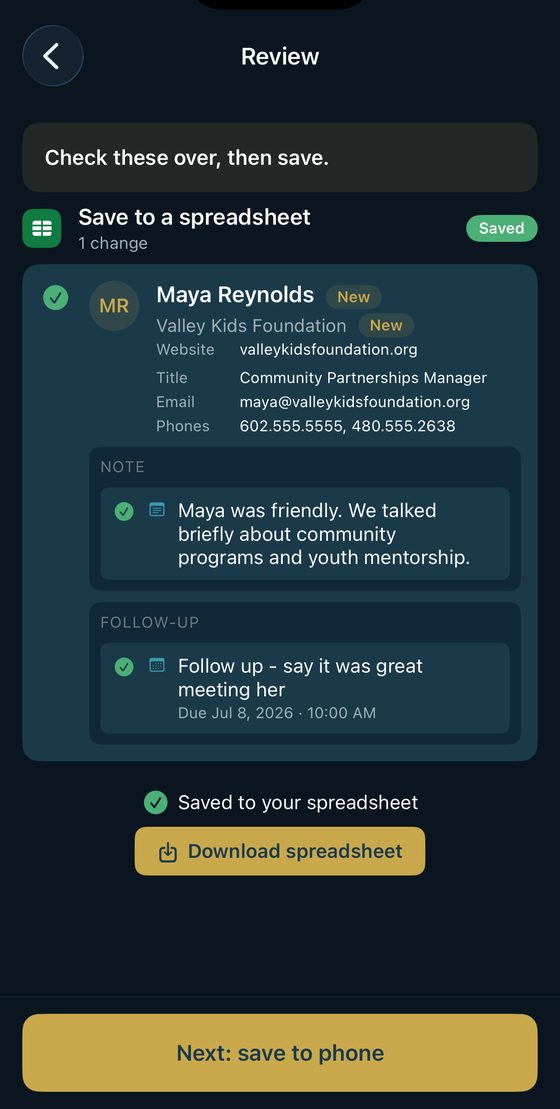
Follow up before they forget you.
Enki drafts the email in your tone, with the promise you made already in it. Or open their LinkedIn, or drop a calendar invite on the meeting you agreed to. This is the step everyone skips, and it is the whole reason the app exists.
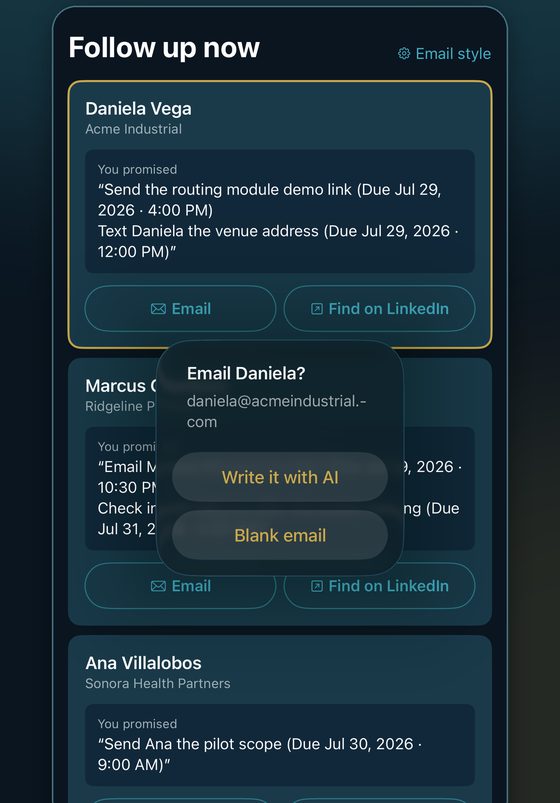
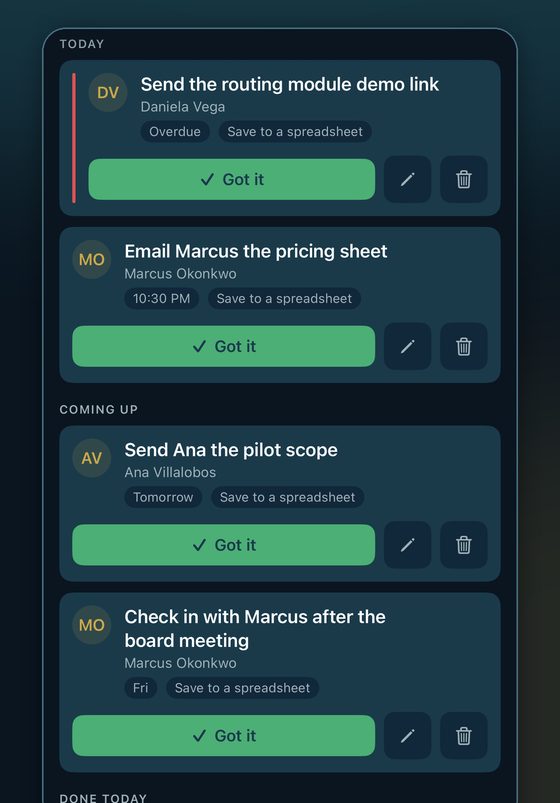
Met ten people? Capture them one after another, then watch the reminders page keep score: Today, Coming up, Done. The card is not the point. The next conversation is.
Features
Everything after
the handshake.
Scanning the card is the easy part. Here is the rest.
The follow-up email, already drafted.
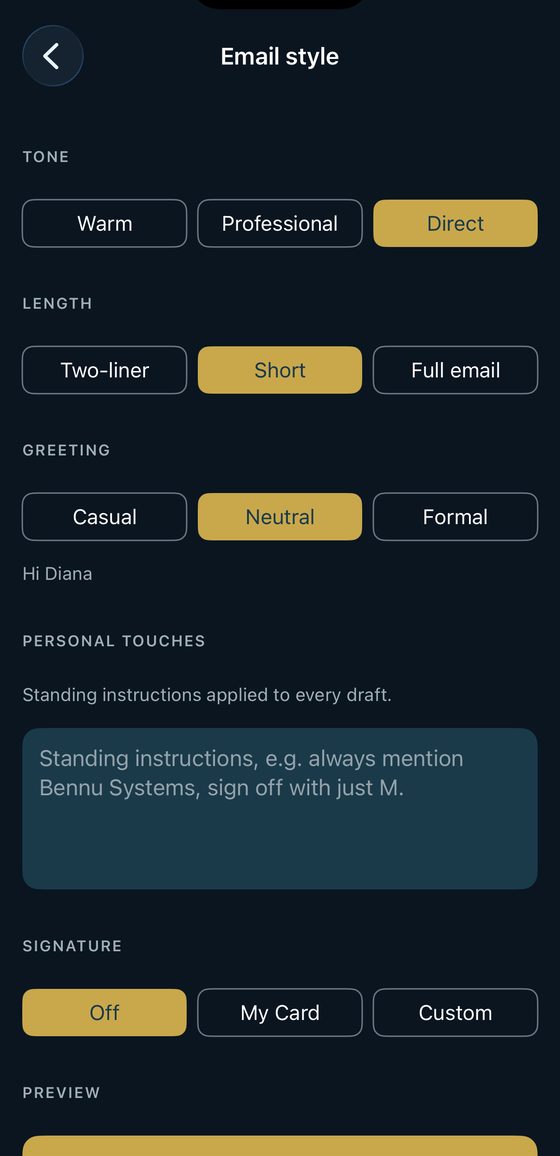
Tap an email address and choose: let the AI write it, or start blank. The draft already contains what you promised, in your words. Set your tone once (warm, professional, or direct), your length, your greeting, and your sign-off, and every draft comes out sounding like you. Enki opens the email in your own mail app. You read it, change it, and hit send.
Find them on LinkedIn without typing a name.
One tap from the contact opens LinkedIn already searching for them, or goes straight to their profile when their handle was on the card. Their LinkedIn travels with them into your CRM, your spreadsheet, and your phone contacts.
Stop handing out paper.
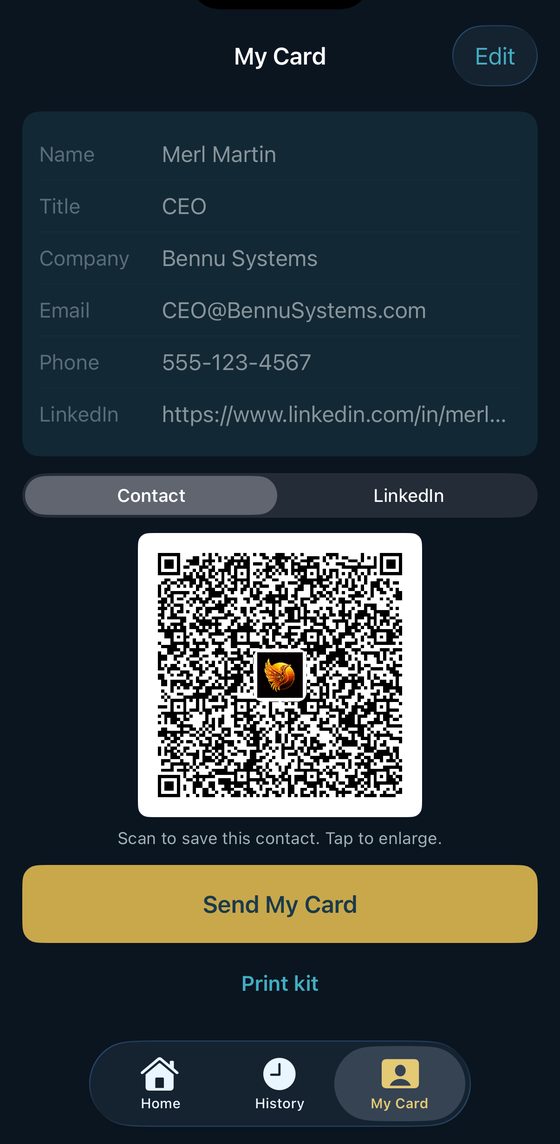
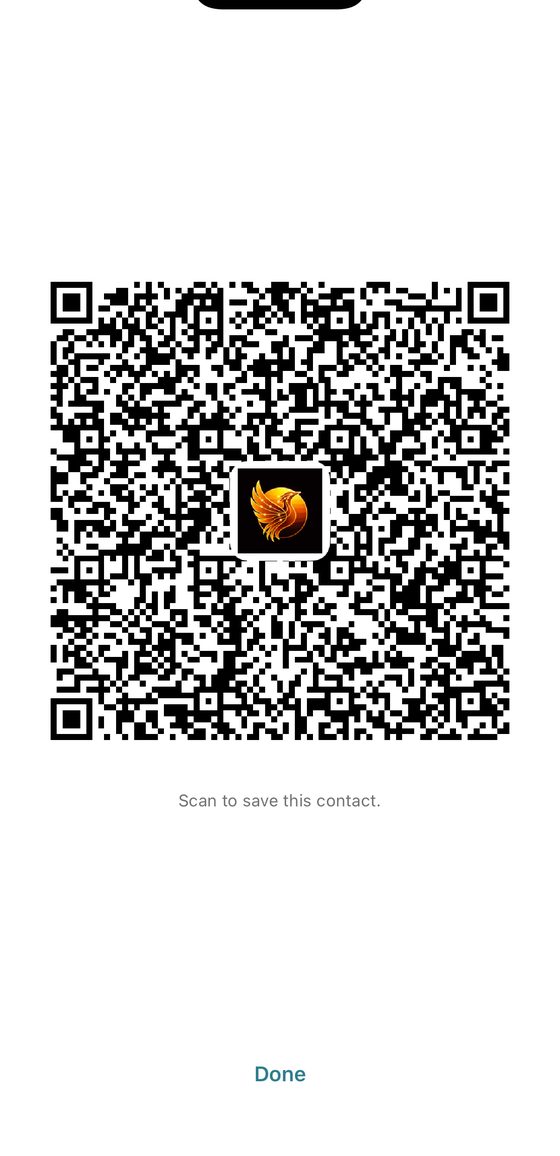
Build your own digital card, add the fields that matter to you, including a booking link, then let people scan your QR. Drop your logo into the middle of it so the code still looks like you. Tap it once and it fills the screen at full brightness, so it scans across a table. You can also send it as a contact file.
Book the meeting you just agreed to.
Say "coffee Thursday at nine" and the Schedule button on that follow-up opens Google Calendar or Outlook with the invite already filled in. It is free on every plan, including the free one.
Remember where you met.
Tag the event once at the start of the night and every contact you capture carries it. Your history groups by event, and "Met at" is written into every destination, so a name three months later still has a story attached.
Basement ballrooms are fine.
No signal at the venue? Capture anyway. Enki queues everything and syncs the moment you have a connection. Nothing is lost, nothing has to be retyped.
Promises that actually come back.
Every commitment you speak becomes a reminder with a real date and time, and your phone tells you when it is due. Today, Coming up, Done. Retime it, edit it, or mark it got it.
Several cards in one photo.
Lay the cards flat with space between them and Enki splits them into separate people, each with its own card to review. It is on every plan, not just the expensive one. Dense overlapping piles are still beyond it, so give the cards room.
Everywhere your people need to land.
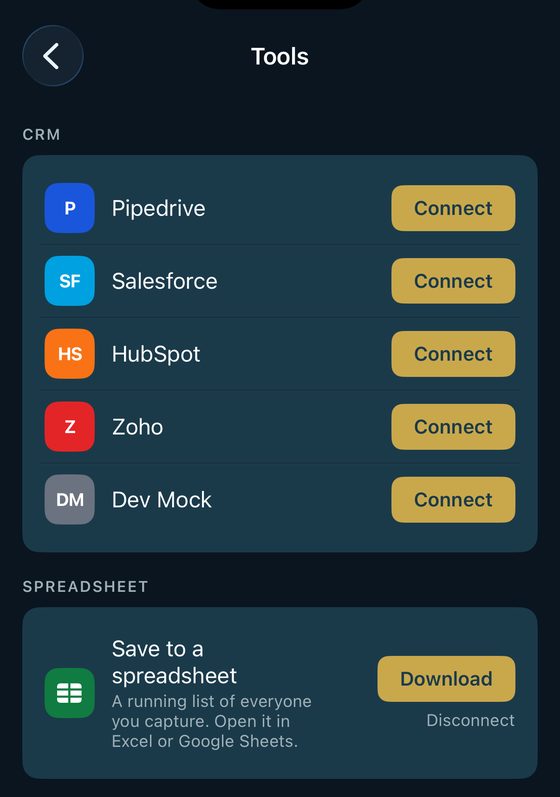
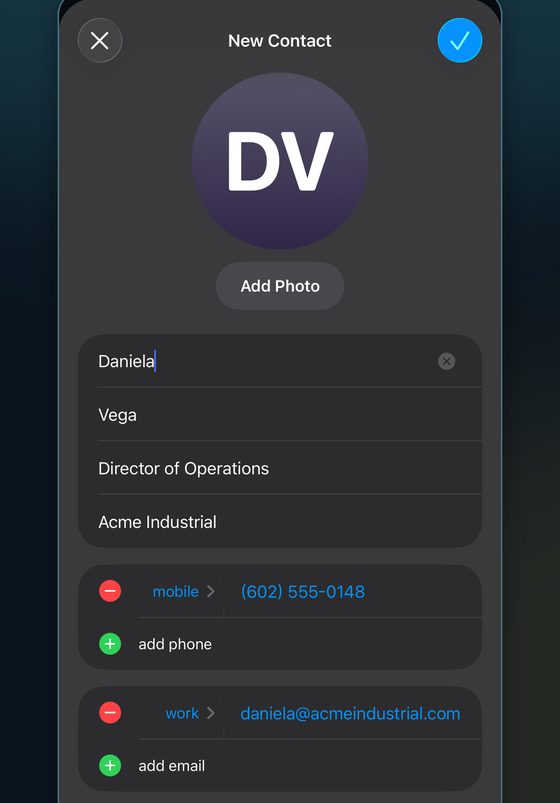
HubSpot, Salesforce, Pipedrive, and Zoho, with a full write: contact, company, note, and task. No CRM? The spreadsheet destination needs zero setup and is included on every plan, and it opens in Excel or Google Sheets. Everything also goes into your phone contacts, already filled in.
Enki never deletes anything.
It adds. It never removes a person, a note, or a field from your CRM, and nothing writes until you approve it. Change your mind after saving? Edit the contact and push the change back out.
Pricing
Start free.
Stay for the follow-ups.
About half off your first month
Every plan includes review-before-save, on-device card-photo OCR, reminders from your voice, the free spreadsheet destination, AI-drafted emails, LinkedIn, calendar invites, your digital card, and scanning other people's digital-card QRs. The plans differ on volume, not trust.
- 15 captures to see it work
- One CRM connected for those first 15
- Everything on the trust list included
First month $3.99
Or $79.99/yr, save $15.89 a year compared with the regular monthly price ($6.67 a month)
- 25 captures a month
- One CRM connected
- Two photos per upload
First month $6.49 on Google Play, $6.99 on the App Store
Or $129.99/yr, save $25.89 a year compared with the regular monthly price ($10.83 a month)
- 50 captures a month
- One CRM connected
- Three photos per upload
First month $9.99
Or $199.99/yr, save $39.89 a year compared with the regular monthly price ($16.67 a month)
- 500 captures a month
- Up to 5 CRMs connected
- Five photos per upload
Students get Pro for $4.99 a month with a school email, on Android.
The first-month price is for new subscribers only and covers one billing cycle, then the plan renews at its regular monthly price. Cancel any time in your store account settings. A yearly plan bills the full year at purchase, renews yearly, and carries no introductory offer; allowances still refill every month on a yearly plan.
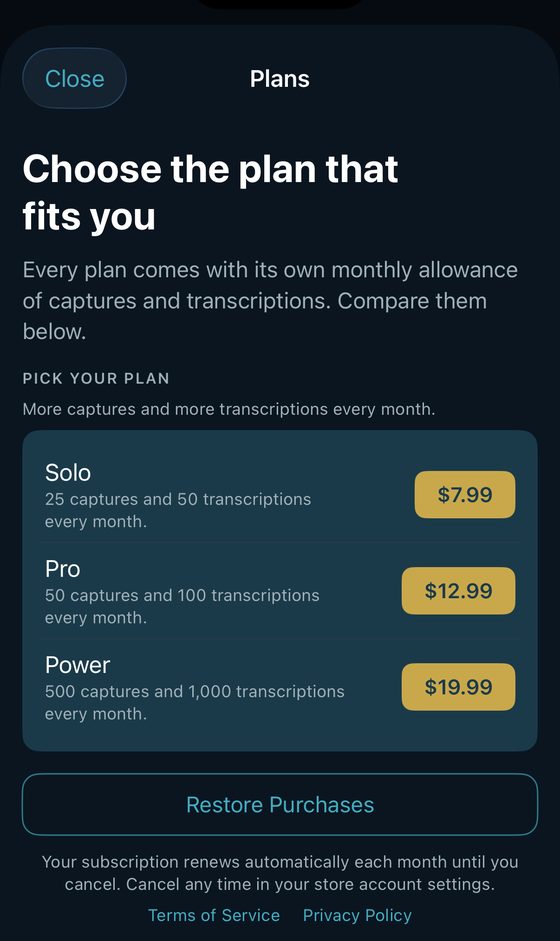
Upgrade inside the app, on either store. Restore Purchases is right there too.
The honest comparison
Every plan vs. the typical card app.
One chart: what every plan includes, and where the typical card app says no. It has its own page now.
The honest comparison
Every plan vs.
the typical card app.
Everything in the top block comes with every plan, even the free one. The plans differ on volume, not trust.
Free $0 |
Starter $7.99 |
Most popular Pro $12.99 |
Premium $19.99 |
Typical card app $6–24 |
|
| Captures | 15 lifetime | 25 / mo | 50 / mo | 500 / mo | often gated |
| ON EVERY PLAN | |||||
| Speak a note, get a filed contact | ✓ | ✓ | ✓ | ✓ | ✗ notes only |
| Review + approve before anything saves | ✓ | ✓ | ✓ | ✓ | ✗ auto-syncs |
| Card photos stay on your phone | ✓ | ✓ | ✓ | ✓ | ✗ cloud |
| Follow-up reminders from your voice, with a Today / Coming up / Done page | ✓ | ✓ | ✓ | ✓ | ✗ |
| Spreadsheet destination, zero setup, always included | ✓ | ✓ | ✓ | ✓ | own app list |
| Saves to your phone contacts too | ✓ | ✓ | ✓ | ✓ | ✓ |
| Your digital card + QR | ✓ | ✓ | ✓ | ✓ | ✓ |
| Scan digital-card QRs (Blinq, HiHello, dot…), counts as one capture | ✓ | ✓ | ✓ | ✓ | own network only |
| Several cards in one photo | ✓ | ✓ | ✓ | ✓ | ✗ |
| Find them on LinkedIn, straight from the contact | ✓ | ✓ | ✓ | ✓ | ✗ |
| Send a calendar invite from a follow-up | ✓ | ✓ | ✓ | ✓ | ✗ |
| Capture offline, syncs when you get signal | ✓ | ✓ | ✓ | ✓ | ✗ |
| WHERE THE PLANS SEPARATE | |||||
| CRM connected (Salesforce, HubSpot, Pipedrive, or Zoho) | one first 15 | one | one | up to 5 | ✗ paid add-on |
| Photos per upload | 2 | 2 | 3 | 5 | 1 |
| AI-drafted follow-up emails | 15 to try | 25 / mo | 50 / mo | 500 / mo | ✗ |
| Cloud voice transcriptions | 15 to try | 50 / mo | 100 / mo | 1,000 / mo | ✗ |
Every plan is one person’s account. Fair use applies: we step in only on abuse patterns like bots or shared accounts, and we contact you first, never a silent block mid-capture.
"Typical card app" means the category, not any one competitor. No brand is named on this page.
FAQ
The buying questions.
Does it work on iPhone and Android?
Yes, both. Enki is live on the App Store and on Google Play, with the same features on each.
Which CRMs work with Enki Voice?
HubSpot, Salesforce, Pipedrive, and Zoho, with full write: contact, company, note, and task. No CRM? Enki saves to a clean spreadsheet with zero setup, and to your phone contacts.
Does Enki record my entire meeting?
No. Enki is not a meeting recorder. You talk for about thirty seconds after the conversation, on your terms. On iPhone the audio is transcribed on your phone and never uploaded. On Android, if you choose cloud transcription, the recording is sent to our transcription provider to make a transcript. Enki does not keep the recording after transcription, and the provider may retain it briefly under its own data controls.
Can I scan multiple business cards?
Yes. Lay them flat with space between them and one photo becomes several people, each with its own card to review. Dense overlapping piles are still beyond it, so give the cards room.
Does Enki send the email for me?
No, and that is deliberate. Enki writes the draft and opens it in your own mail app with your signature on it. You read it, change whatever you want, and send it yourself. Nothing goes out in your name without you.
Can I review changes before they reach my CRM?
Always. Every entry is shown to you first; edit any field or skip anything. Nothing writes to your CRM until you approve it, and Enki only ever adds, it never deletes.
What if there is no signal at the venue?
Capture anyway. Enki queues everything and syncs the moment you have a connection.
What happens if Enki misunderstands something?
You catch it at the review step, before it saves. That gate exists precisely because AI gets things wrong sometimes; wrong data never lands in your system of record.
How is my data protected?
Card photos stay on your device. On iPhone your voice is transcribed on-device; on Android, if you choose cloud transcription, the recording is sent to our transcription provider to make a transcript. Enki does not keep the recording after transcription, and the provider may retain it briefly under its own data controls. Only the structured text you approve is sent to your CRM. You can delete your account and all of its data from inside the app, any time.
Something else? merl@bennusystems.com
Why Enki Voice
A missed dinner and an old god.
Why the app exists
It started with a missed dinner.
After a long conference, a colleague couldn't come break bread. He had a stack of business cards to type into the CRM that night.
Nobody should miss dinner over data entry.
That's the whole product. The people you meet at an event shouldn't cost you the evening. Snap the cards, say what mattered, approve it, go eat.
Why the name
The god who dug the canals.
Enki was the Sumerian god of water, wisdom, and craft. He channeled wild rivers into canals, and the canals turned water into fields, and fields into civilization.
Enki Voice does the same with a different kind of wave. Your words are the river. Your CRM is the field. We just dig the canal.
Built by Bennu Systems, Scottsdale, Arizona.