Avant Fashion Week
Use Instagram with Enki
Four steps for each person you meet. They work the same on iPhone and Android.
Here’s how you keep it going
The whole flow in one place. The steps below show each screen.
- 1
Scan
Their Instagram code or their card

- 2
Say one sentence
Who they are, what you talked about, when to reach out
Dani, photographer. Loved the red look. Shoots editorials in December. Message me Tuesday.

- 3
Message on Instagram
Enki writes it and copies it. You paste and send
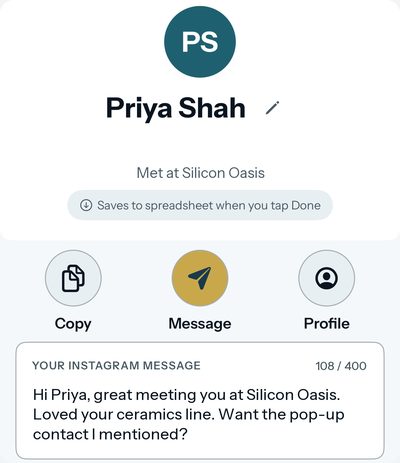 Example
- 4
Get the reminder
On the day you said, Enki reminds you
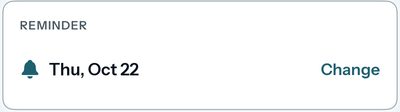
You send every message yourself.
The winner gets a one-year Avant 121 membership. More prizes may be added.
Step by step
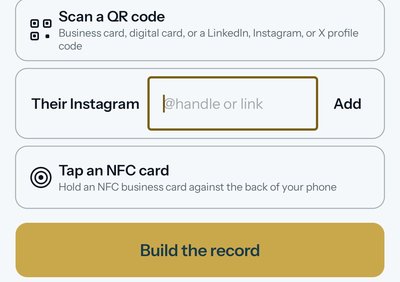
Scan their Instagram QR code, or type their handle
On the Capture screen, tap Scan a QR code and point the camera at their Instagram QR code. No QR code? Type their handle in the Their Instagram row and tap Add.
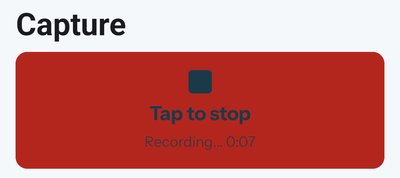
Record a short voice note
Tap Press and talk. Say where you met and one thing you talked about. Tap to stop. Your words land in the note.
Review and save the person
Tap Build the record. If a Review screen opens, check the name and the Instagram handle, then tap Save. A person with only an Instagram handle opens one page with a message ready. Tap Done there. It saves for you.

Follow up on Instagram
On the one page with the message ready, tap Message. If the person also has an email or phone number, Enki opens the follow-up page instead. There, tap DM on Instagram. Either way, Enki copies the message and opens Instagram. Paste the message and tap send. This counts as one person reached on the board.
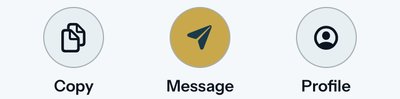
Enki does not send anything for you. It opens Instagram. You send the message yourself.
Before the event
Add your Instagram to My Card
Open My Card and tap Edit. Type your handle or profile link in the Instagram row, then save.
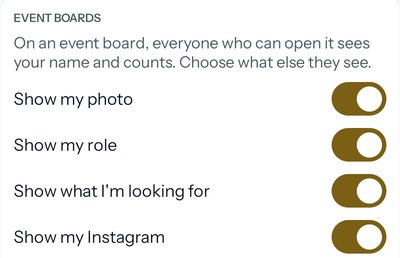
Turn on “Show my Instagram”
Join the Fashion Week board first. Then open My Card, find Event boards, and turn on Show my Instagram. The switch is off until you turn it on. When it is on, people on the board can find you.
Need help? Visit Enki Support.